Search inside your screenshots
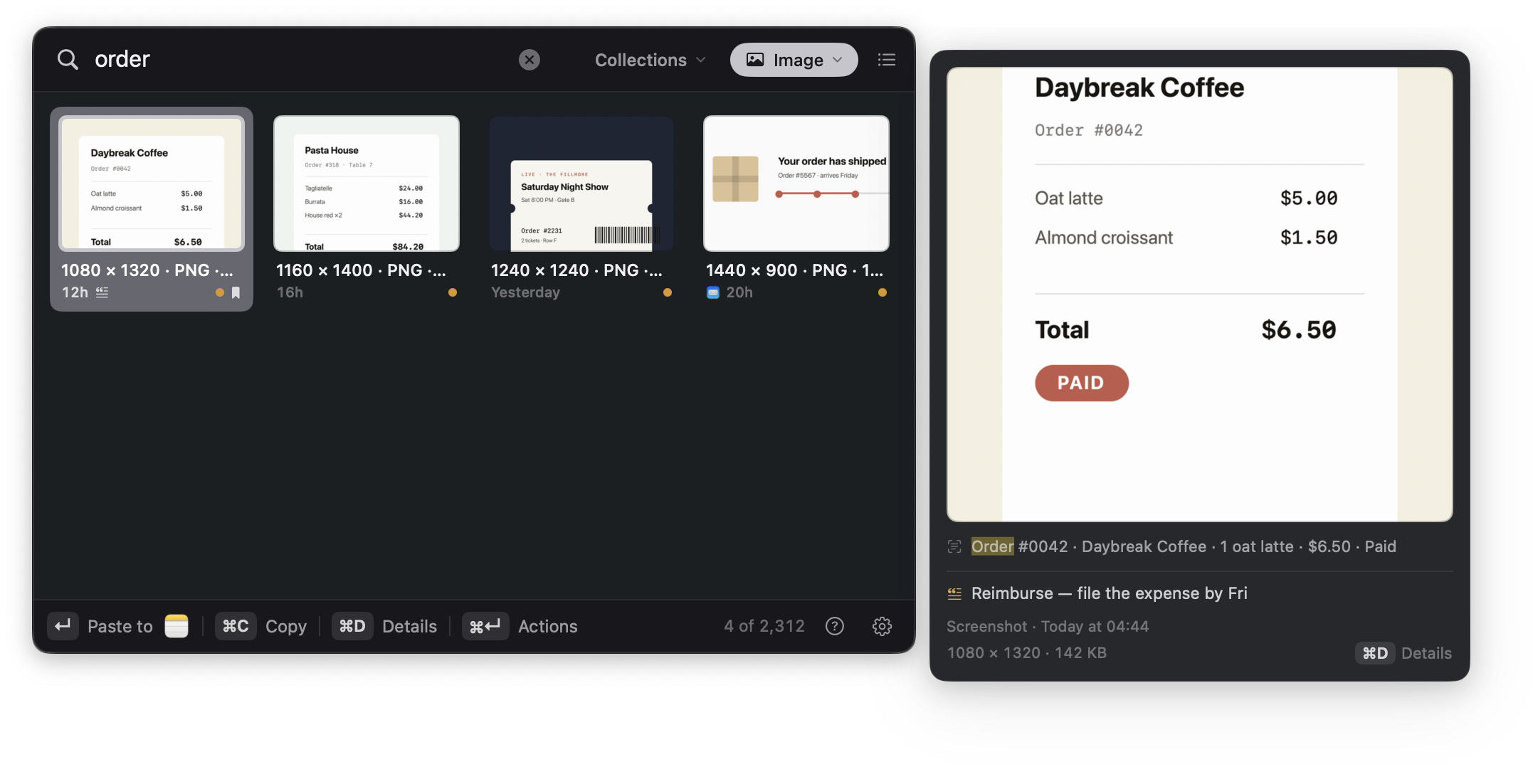
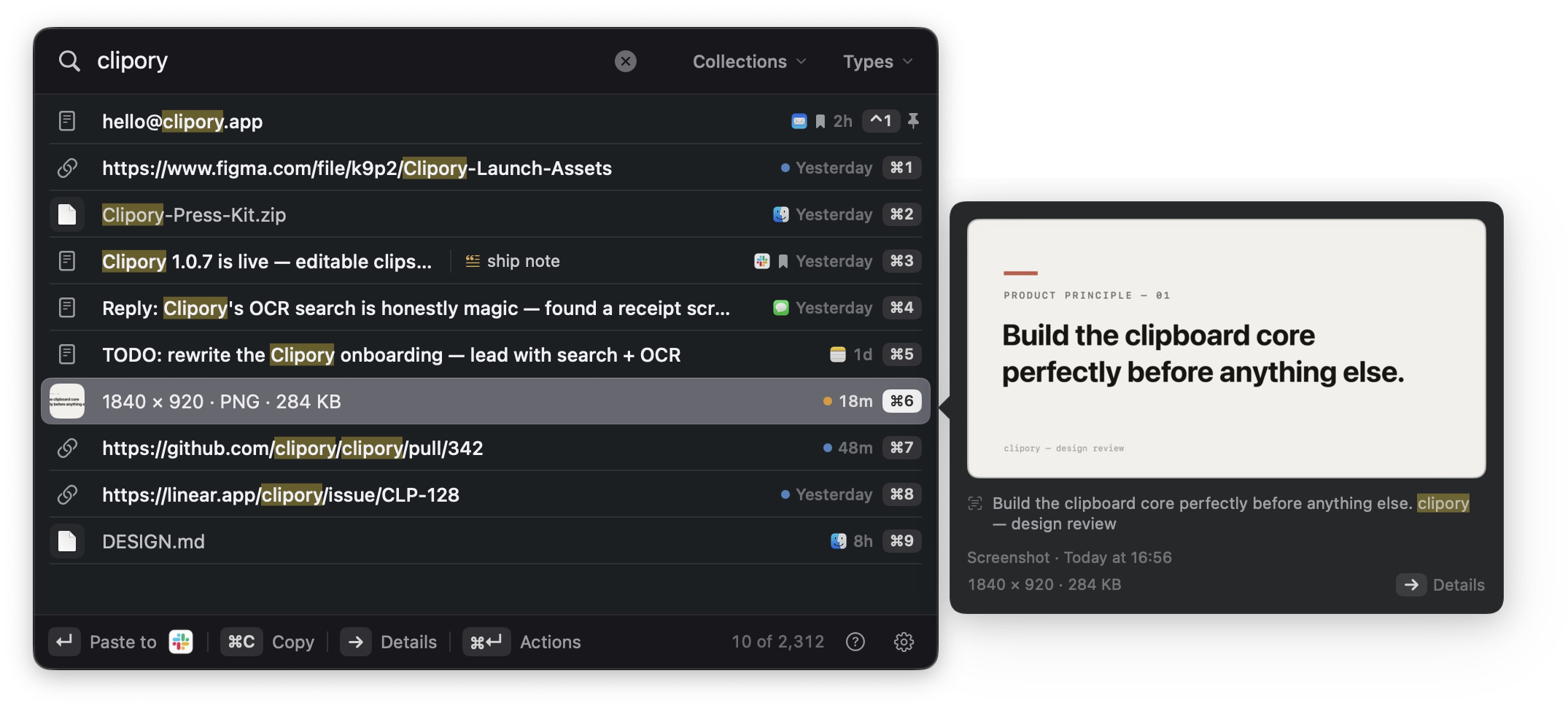
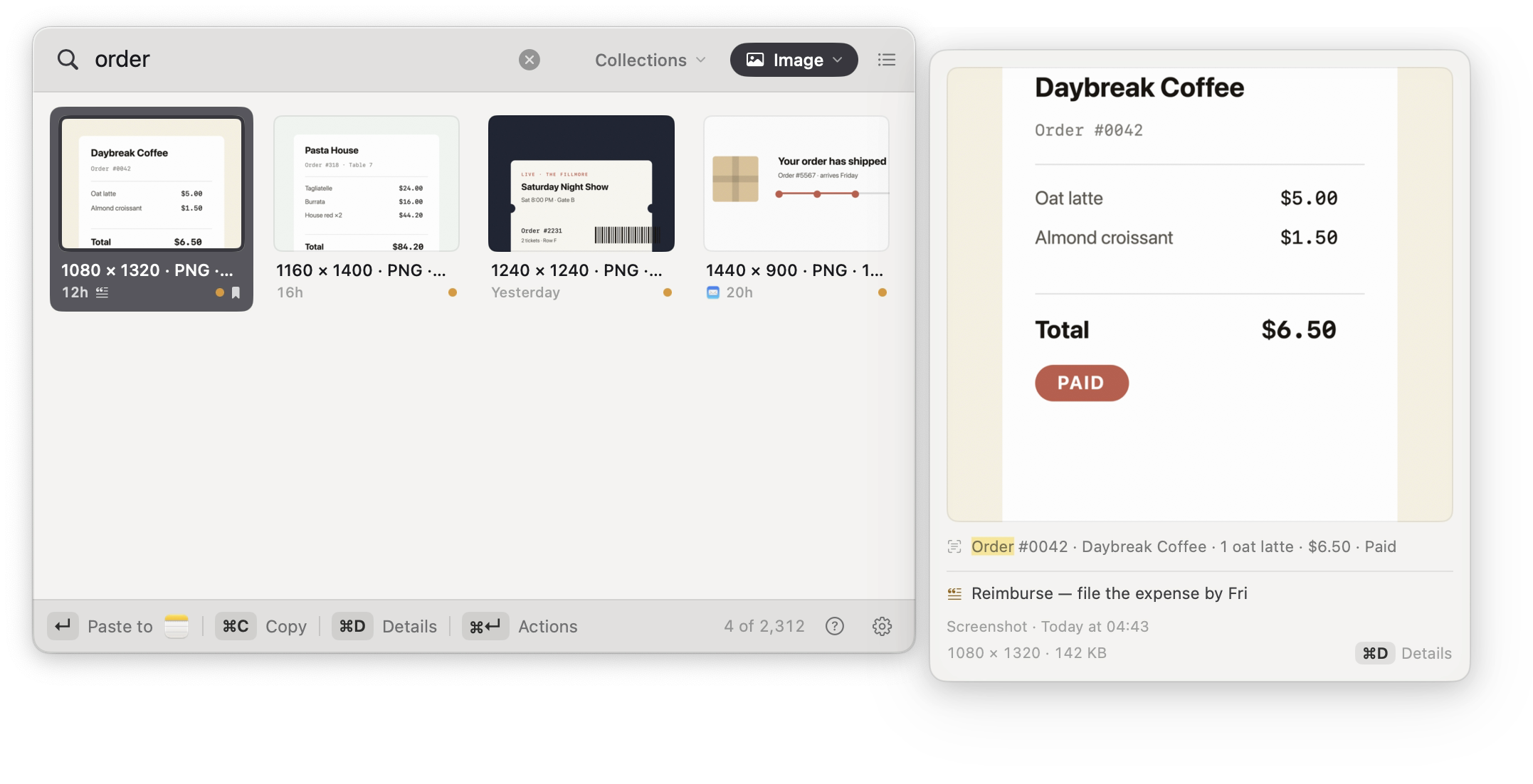
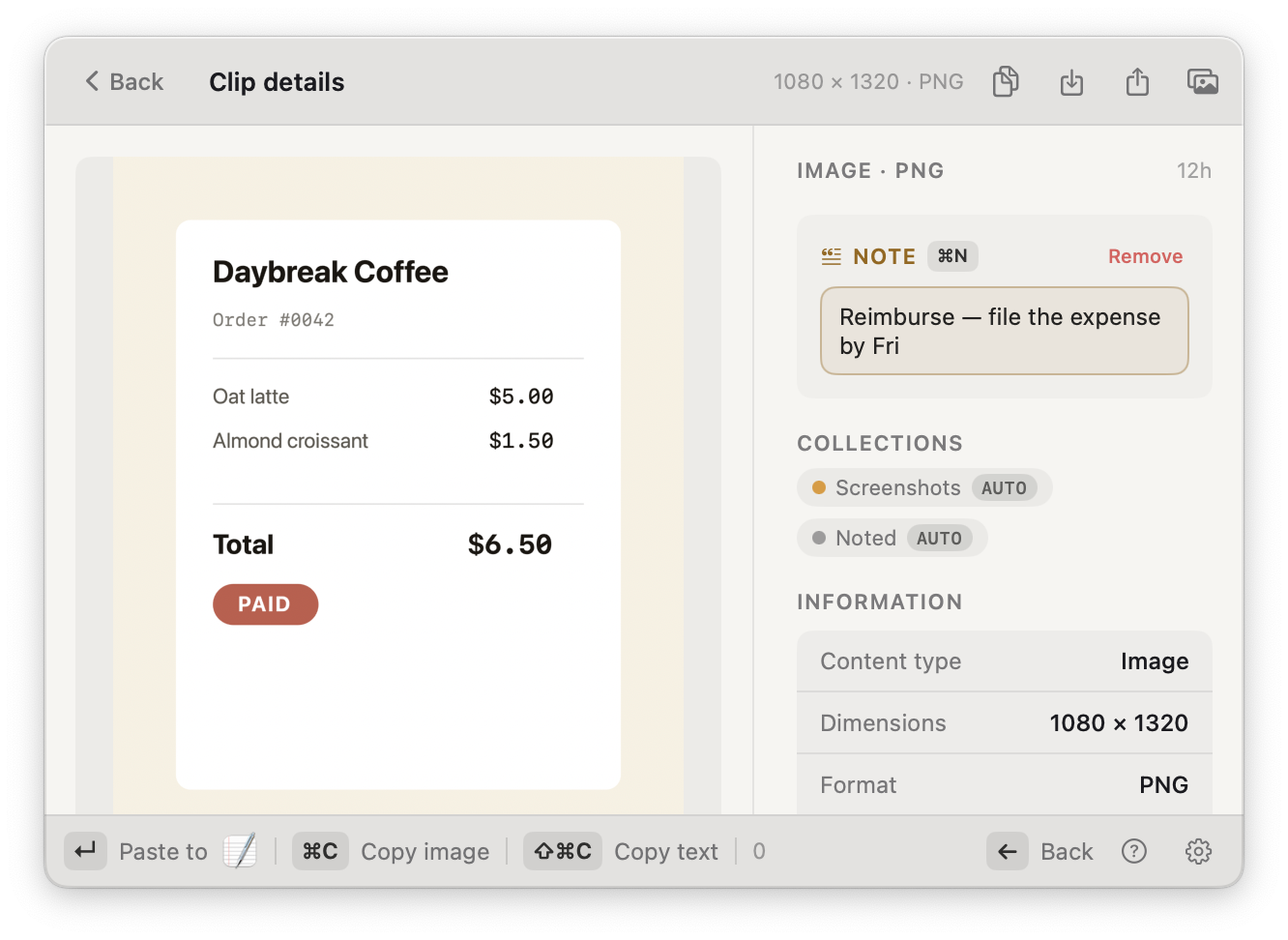
Type a word and the screenshots that mention it surface too. On-device OCR turns every image you copy into searchable text, so you find the right picture by what's written inside it.
Every link, image, colour, and snippet you copy stays instantly searchable, even the text inside a screenshot, and grouped into collections for you. Filter by type, pin what you reach for, and paste it into any app.
Free · < 13 MB · macOS 14+
brew install --cask clipory/tap/clipory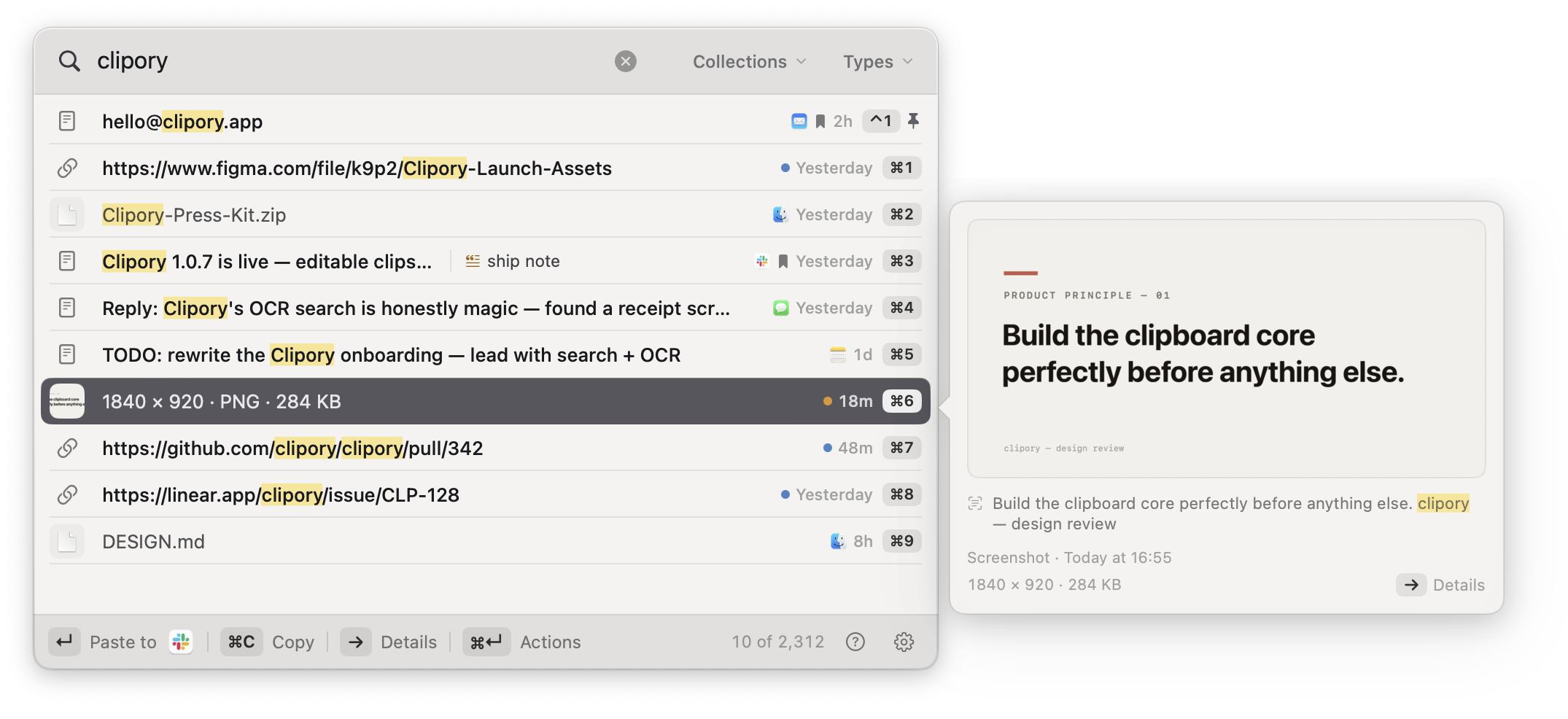
Type a word and the screenshots that mention it surface too. On-device OCR turns every image you copy into searchable text, so you find the right picture by what's written inside it.
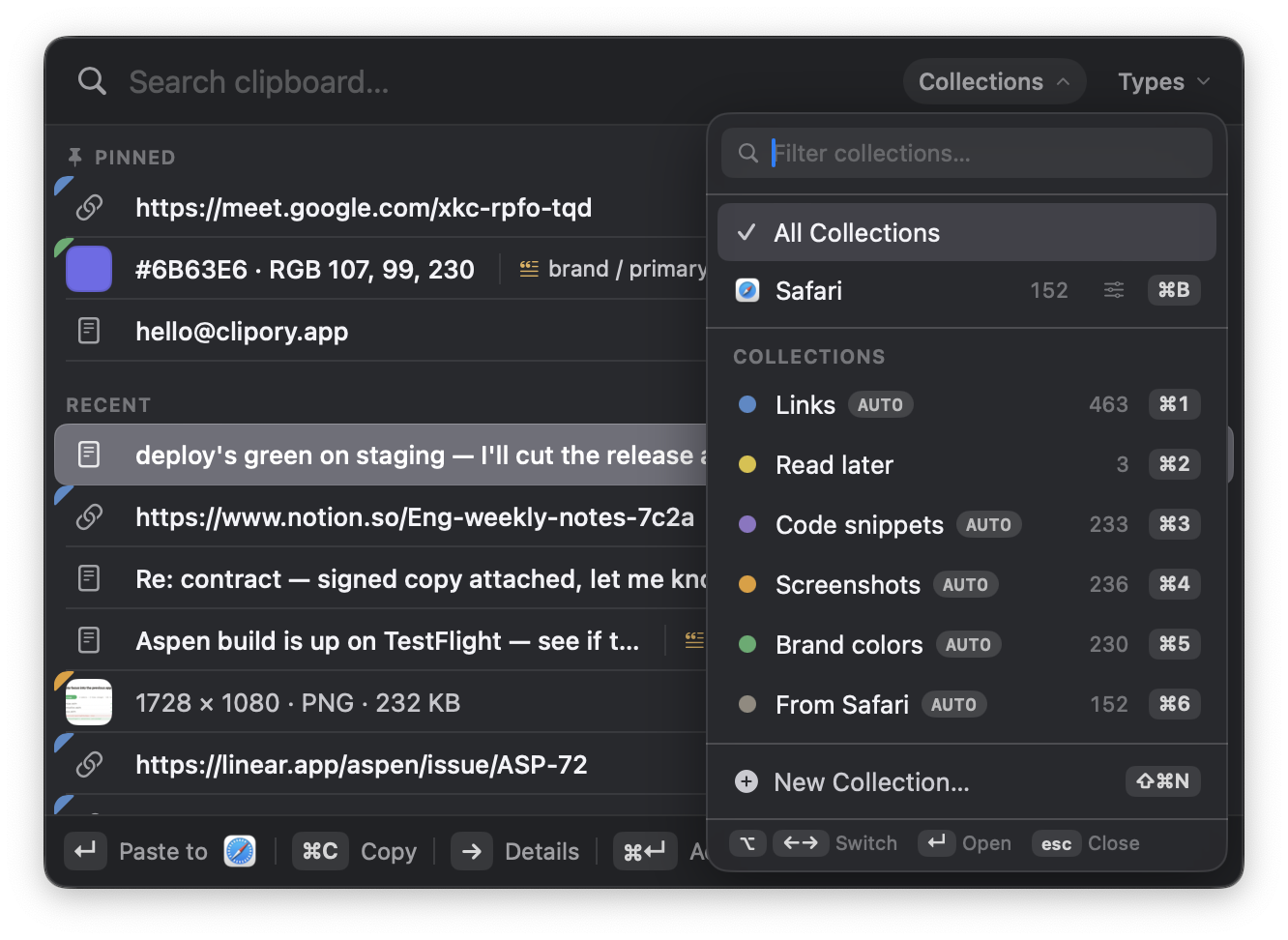
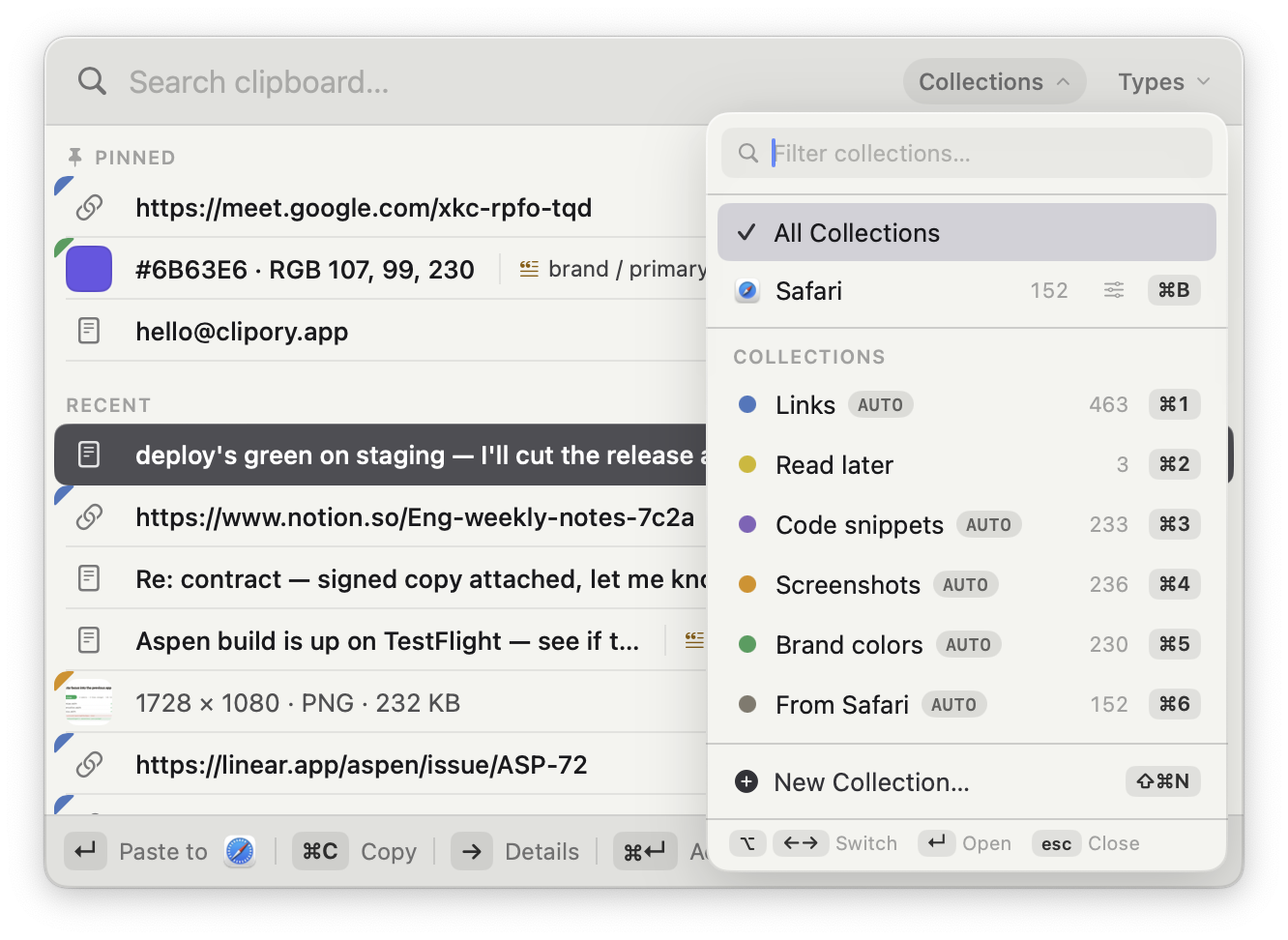
Set a rule once, like links, code, or a project keyword, and every matching clip is swept into its collection automatically. Open the menu and jump to any of them from the keyboard, no sorting required.
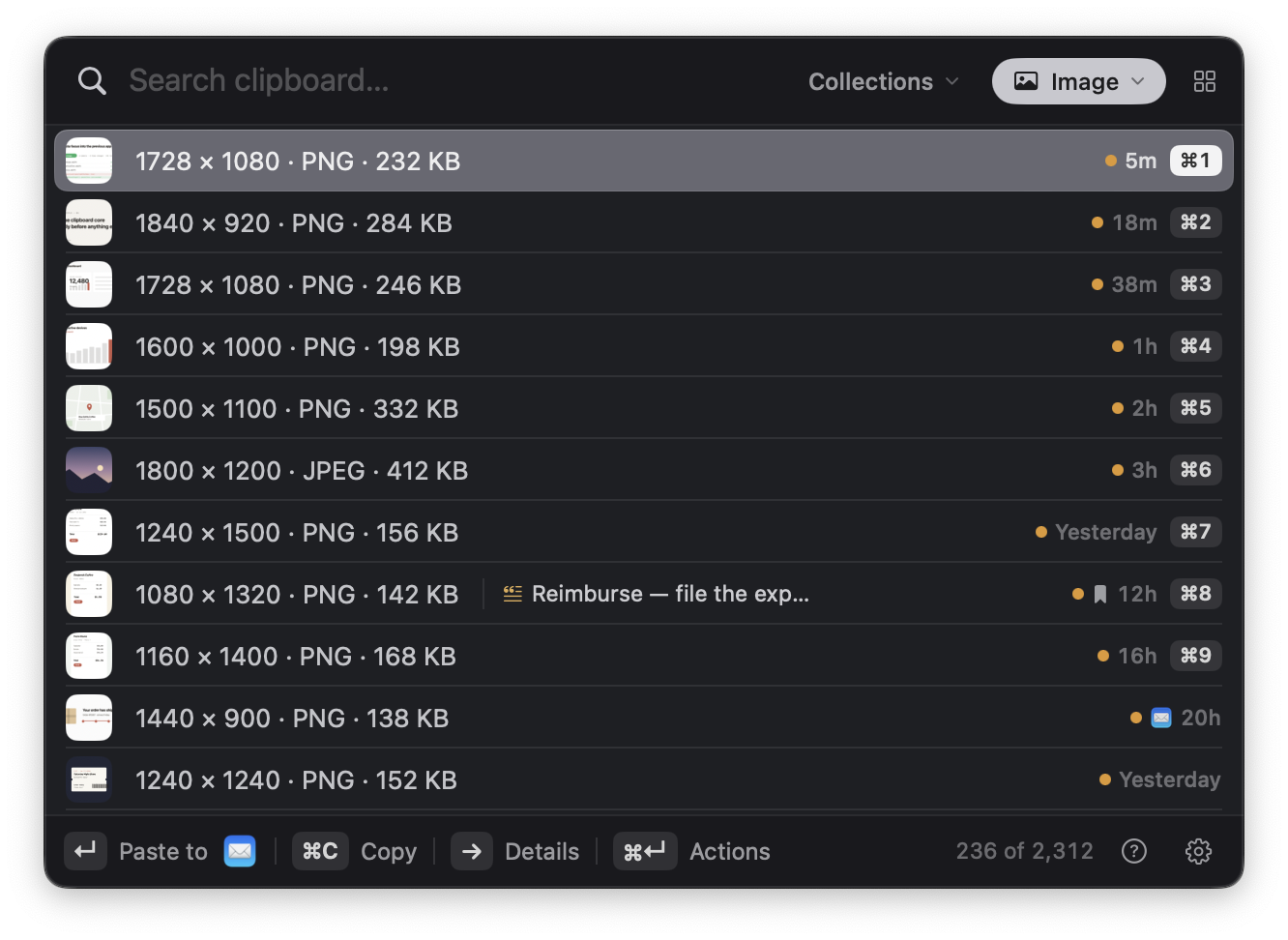
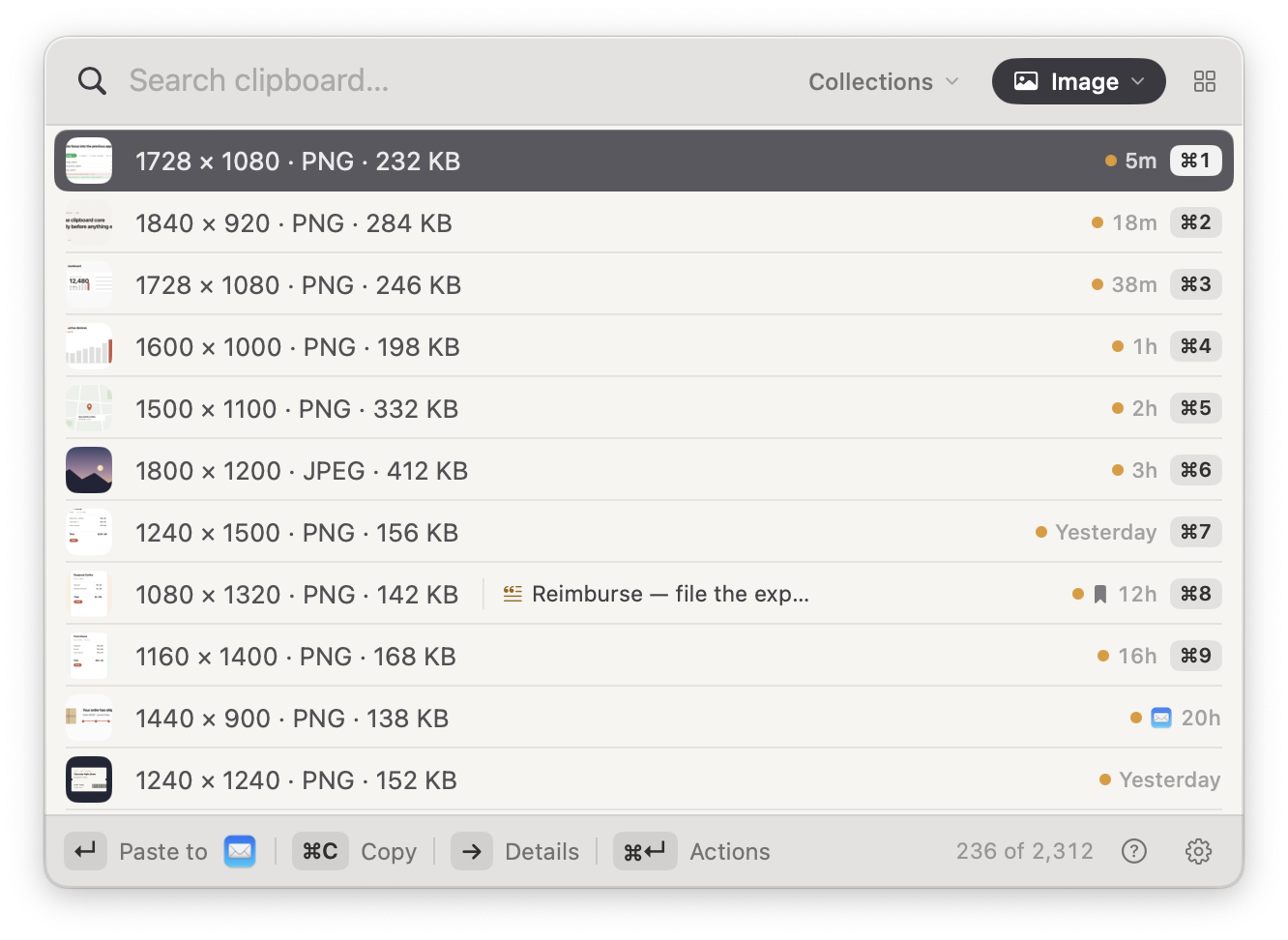
One chord filters to text, images, or links, and the preview card opens right beside the list, so the clip you want is one glance away.
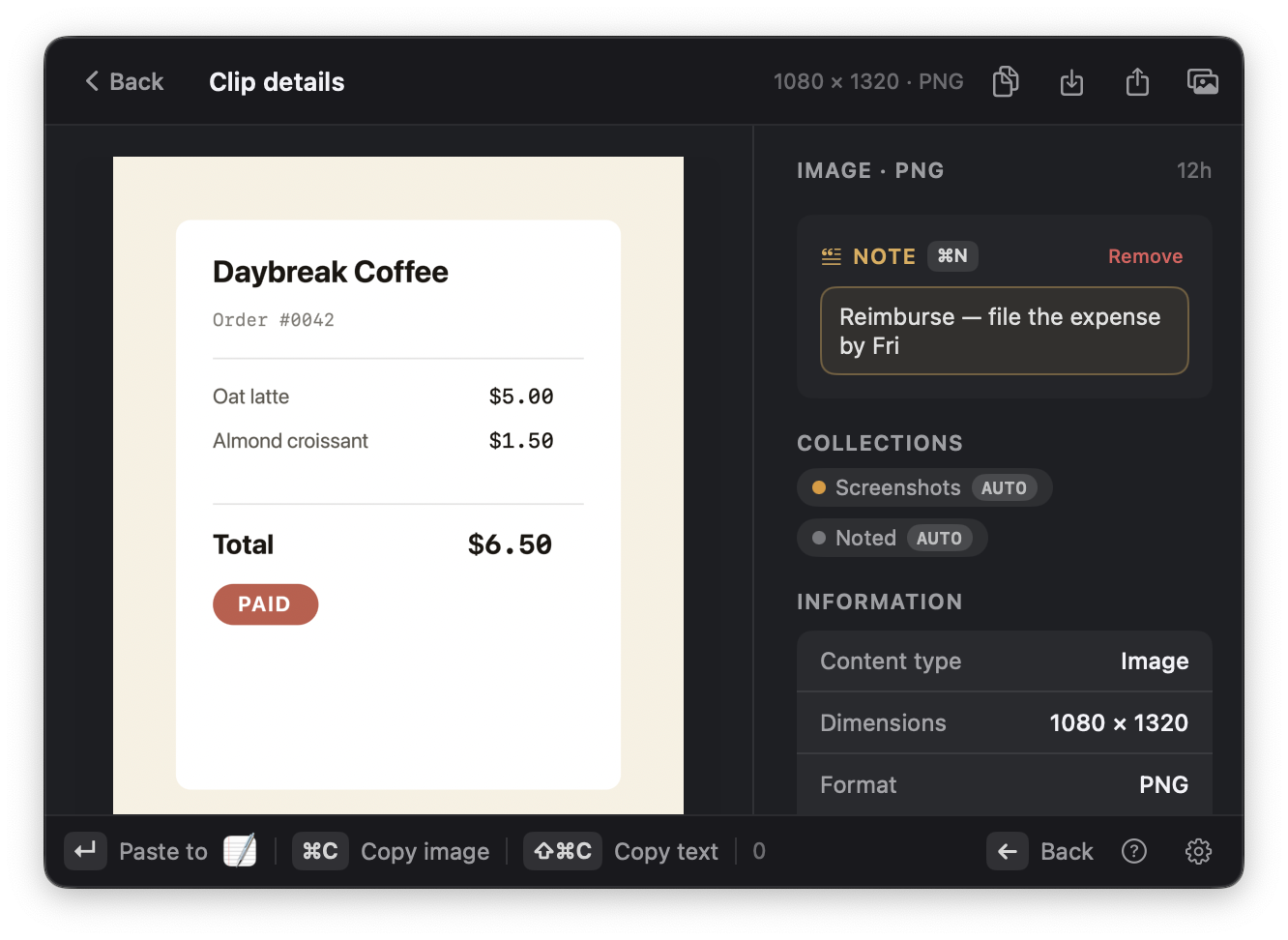
Jot a note on any clip: who it's for, why you kept it, what to do next. Your notes are searchable too. Type a word from the note and the clip comes back, picture and all.
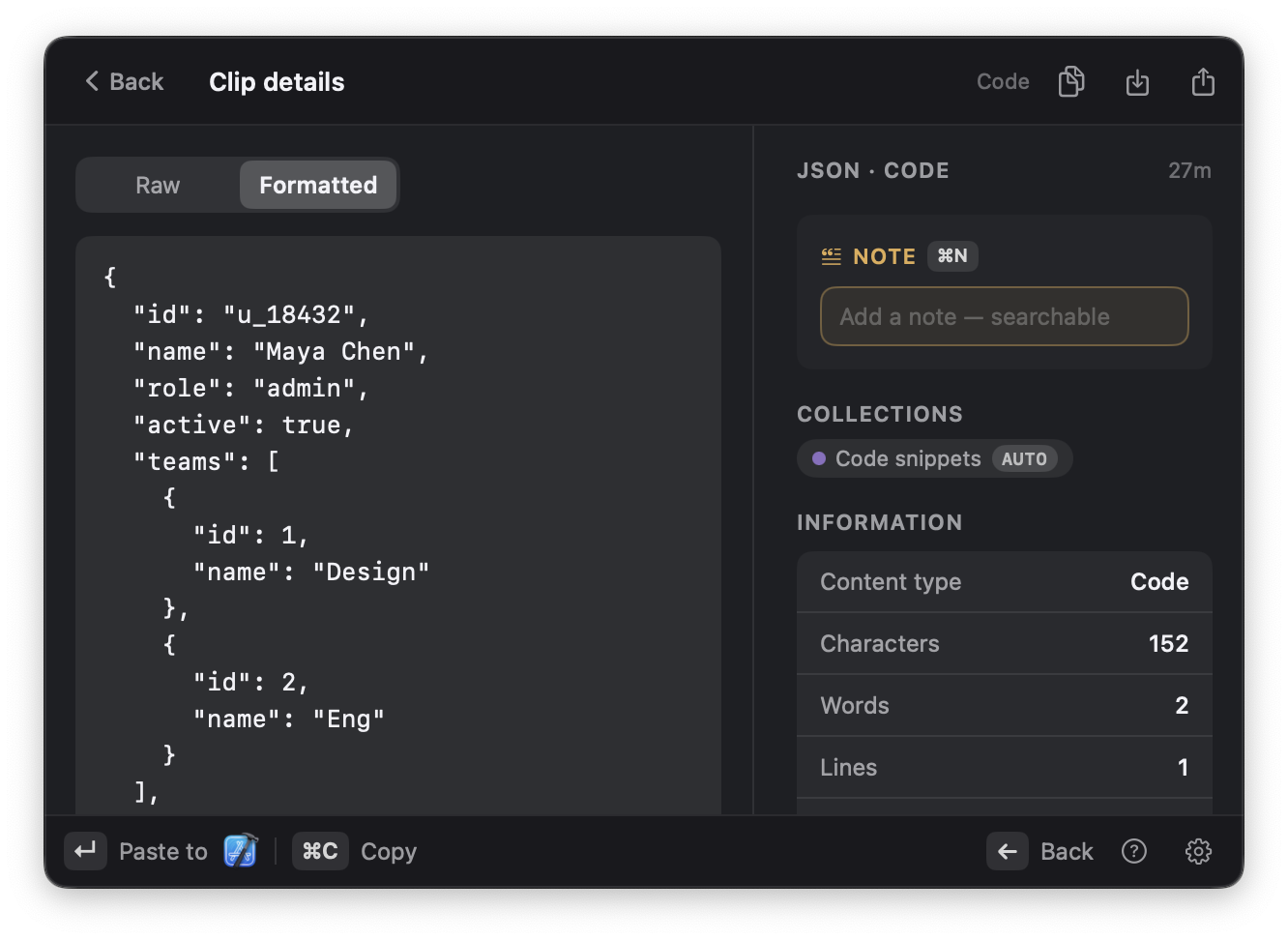
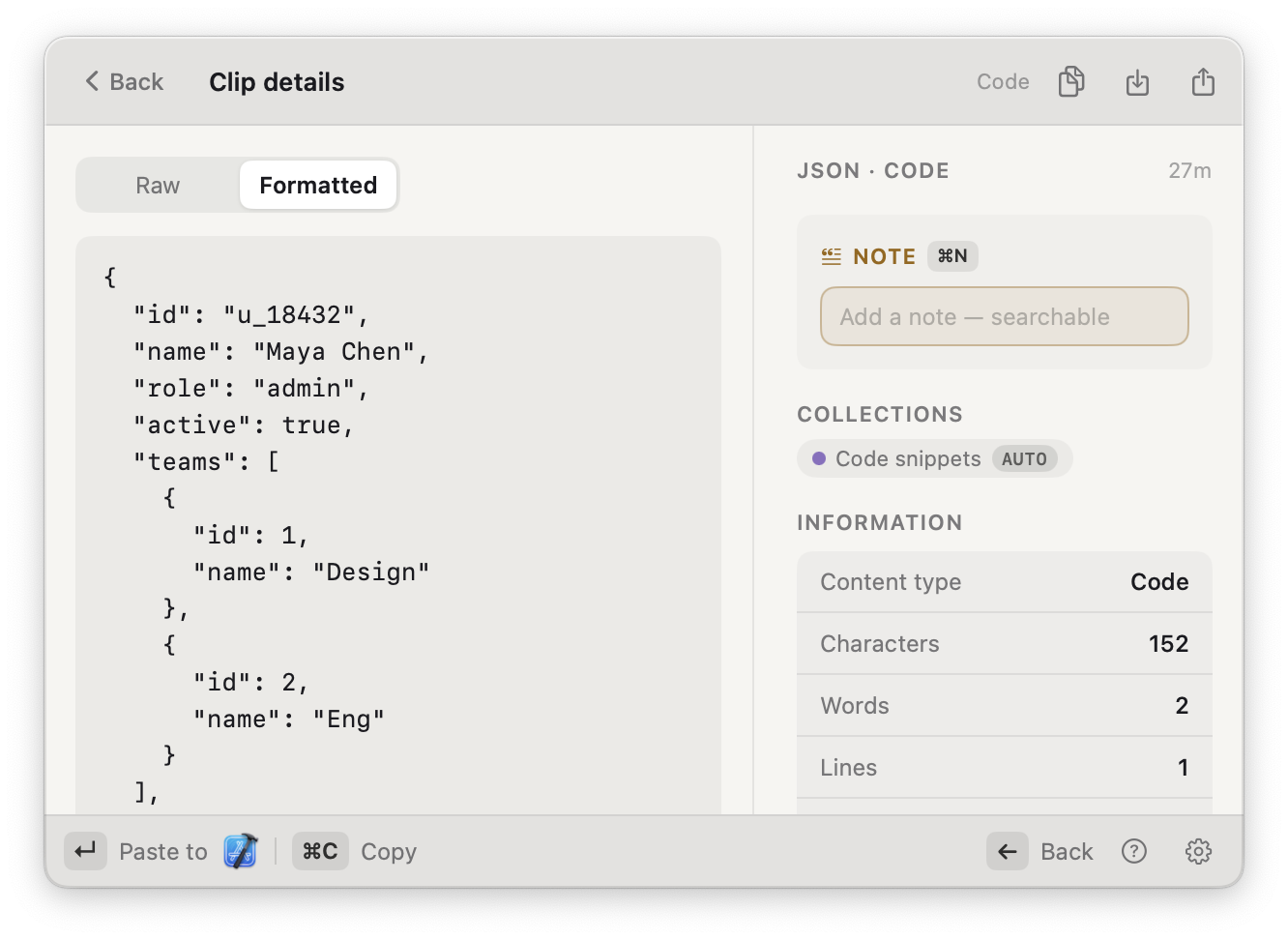
Copy minified JSON and the detail view pretty-prints it: indented, monospaced, easy to scan. Switch between Raw and Formatted anytime; pasting always replays the exact bytes you copied.
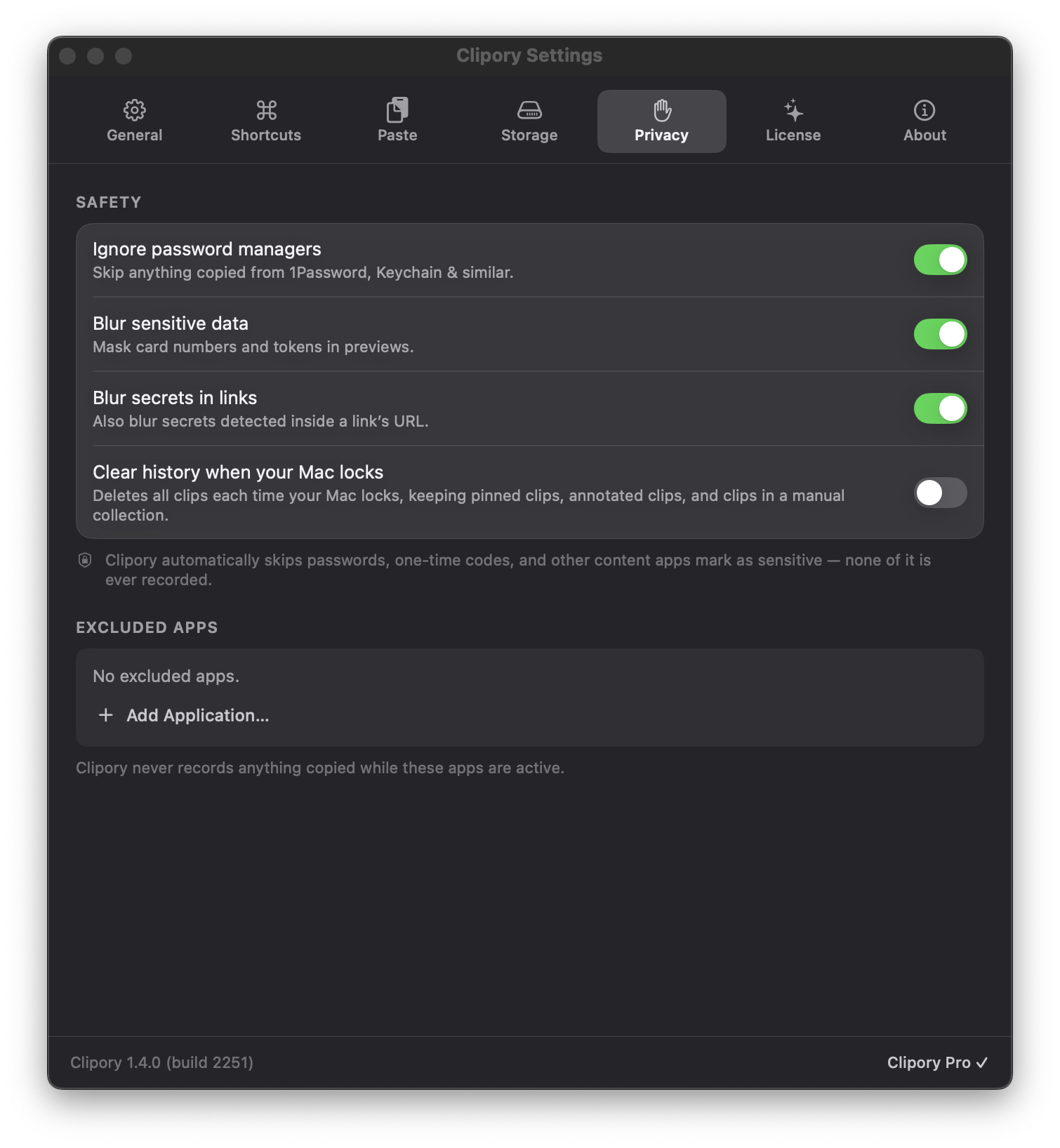
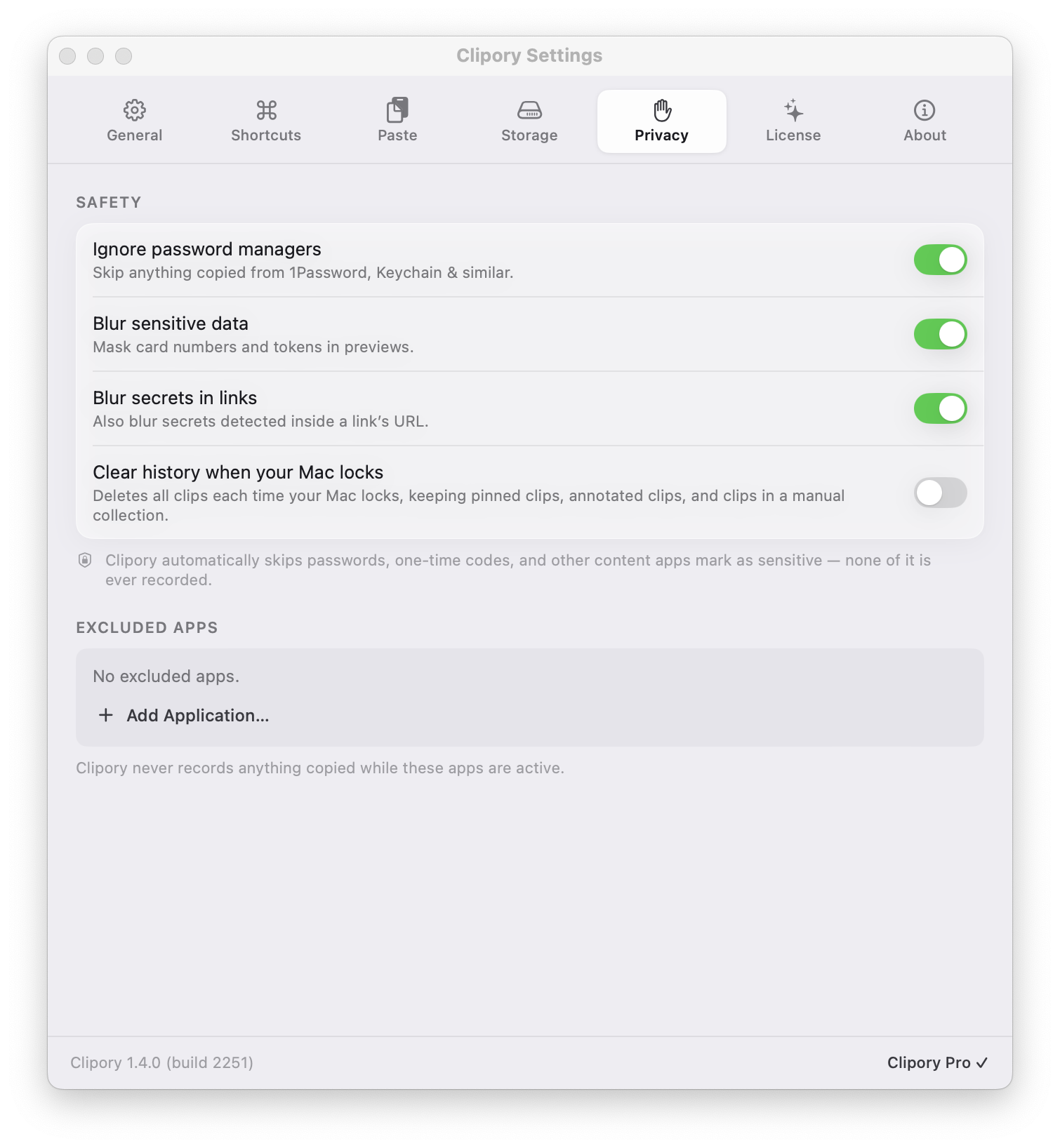
Clipory skips your password manager, masks card numbers and tokens in previews, and can wipe unpinned history the moment your Mac locks. Add any app to the exclude list and nothing it copies there is ever recorded.
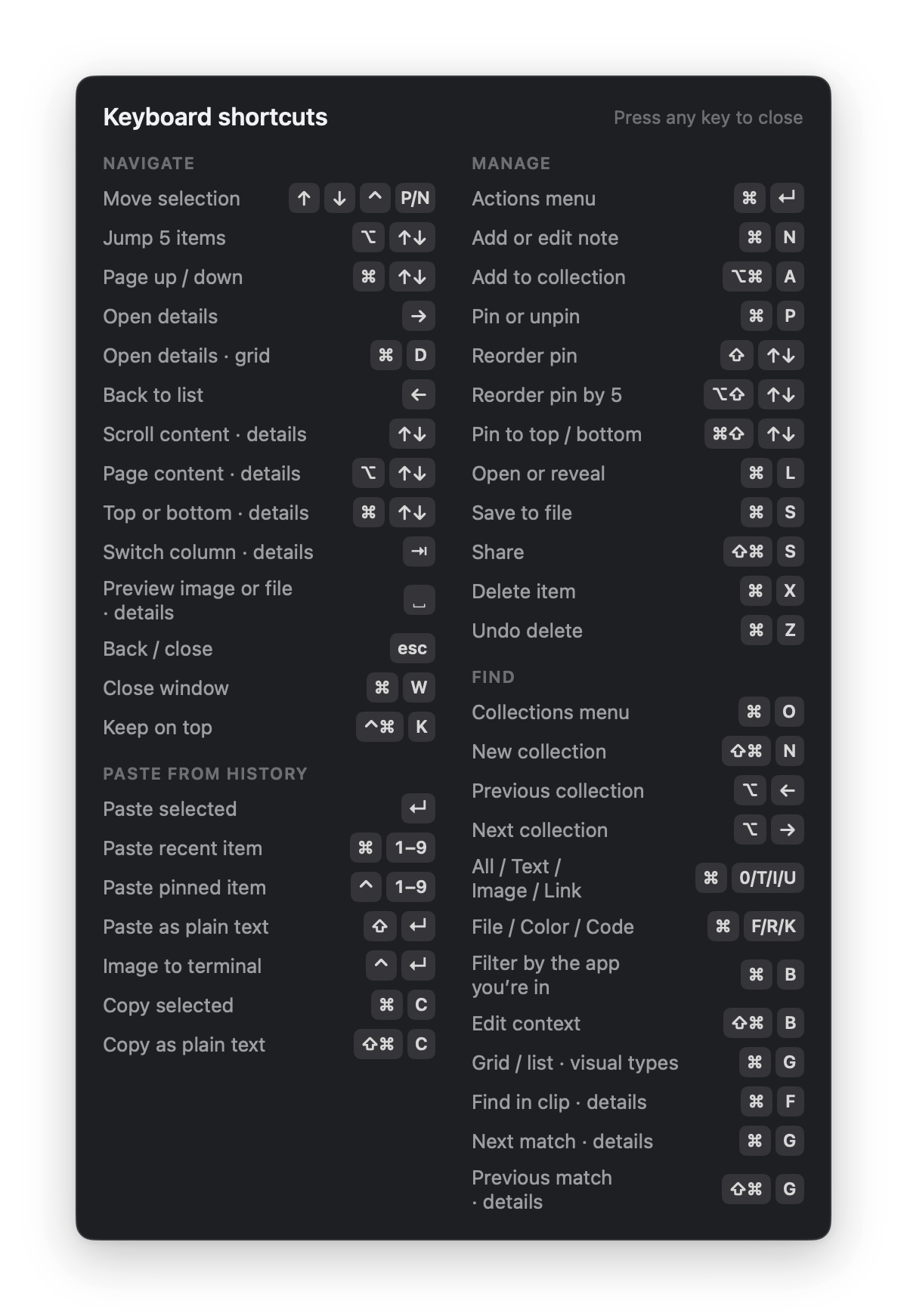
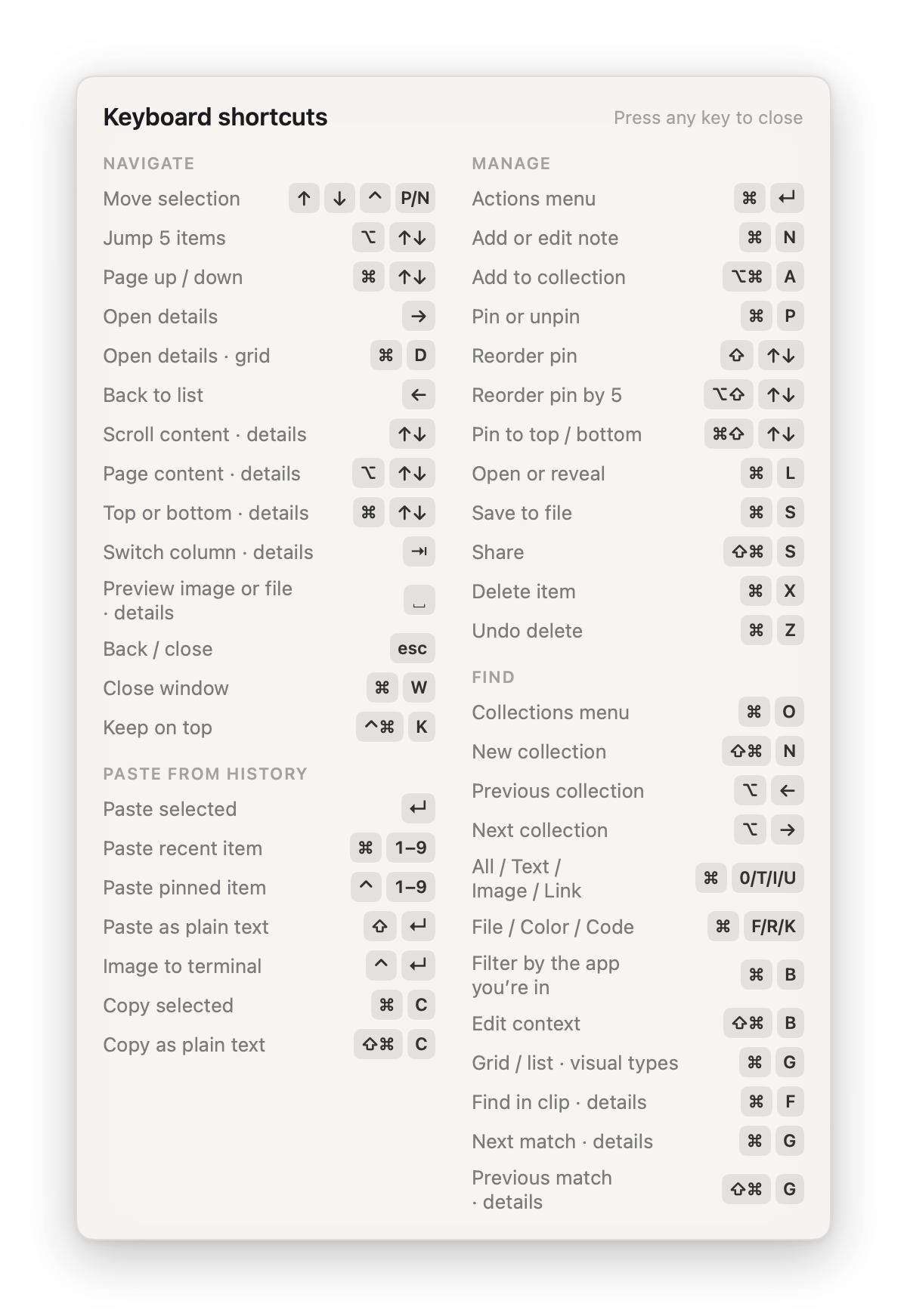
Pin, reorder, paste as plain text, search the web: it is all on the keyboard. Press ? for the full map, and rebind any chord in Settings.
Links, colours, code, and files each get rich previews, and OCR turns every screenshot into searchable text.
A real Mac app: instant launch, tiny footprint, at home in the menu bar. No Electron, no lag.
Paste a copied image into your terminal: image-capable tools get the picture, a plain shell gets its file path.
Own Pro forever with a one-time purchase. No subscription.
Prices in USD. Secure checkout by Polar, our merchant of record, powered by Stripe.
Pro purchased here is a license key for the direct-download app. The Mac App Store edition sells Pro separately, and purchases do not transfer between the two.
Clipory is a fast, keyboard-first clipboard manager for macOS. It remembers everything you copy: text, links, images, colors, code, and files. All of it is instantly searchable, so anything you copied earlier is one keystroke from being pasted again. It lives in your menu bar and is built native for speed.
The short version: it finds more, collects nothing, and you only pay once.
They are the same app with the same features, built from the same code. The differences are how updates and purchases work:
Purchases are edition-specific: a license key doesn't unlock the App Store edition and an In-App Purchase doesn't unlock the direct download, so buy Pro in the edition you plan to keep. Switching editions is safe in that installing one never deletes the other's data — but each edition keeps its own separate history (the App Store edition runs inside Apple's sandbox), so clips don't carry across automatically.
No. Clipory is a small native Swift app. Capturing a copy costs almost nothing, search runs in memory, and heavy work like OCR stays off the clipboard's hot path. CPU settles back to zero the moment you stop copying. You shouldn't notice it until you need it.
Any Mac running macOS 14 Sonoma or later, including macOS 26 Tahoe. Clipory speaks eight languages: English, German, Spanish, French, Japanese, Korean, and Simplified and Traditional Chinese.
Press your Clipory shortcut (⌥Space by default, and you can rebind it), type a few letters, and pick with the arrow keys. Return pastes straight into the app you were just using. Matches light up in marker yellow so you can see why each result matched. In a hurry, ⌘1 to ⌘9 paste recent clips directly, and pinned clips get their own shortcuts.
Yes, and it works automatically. Every image you copy is read with on-device OCR, so screenshots become searchable text. Search for “invoice” and the receipt screenshot surfaces, with the matched line shown right in the preview. Recognition happens entirely on your Mac.
Pin the clips you reach for daily. Auto Collections sort themselves with rules, like every link or everything copied from one app, while manual collections hold whatever you put in them. You can also add a note to any clip. Notes are searchable too, so you can find a clip by what you wrote about it.
No. Clipory has no server for your data: your history lives on your Mac in an encrypted database, with no account and nothing uploaded. With Pro you can create encrypted backups and restore them, including onto a new Mac. A backup is just a file you keep wherever you choose — including your own cloud drive like iCloud, if you want it there.
Out of the box, Clipory skips anything a password manager marks as concealed, so copied passwords never enter your history. It also blurs sensitive-looking content like card numbers in previews. You can exclude specific apps from capture entirely, or pause capture with one click.
Only to paste for you. When you press Return, Clipory delivers a single ⌘V keystroke into the app you were using, and macOS requires the Accessibility permission for exactly that. It reads nothing from your screen. You can decline and still use everything else: pick a clip, then paste it yourself with ⌘V.
No. Clipory is free to use, and Clipory Pro is a one-time $7 purchase. Pay once and keep it on up to two Macs. There is no account and no recurring charge.
Free is the full app: instant search, OCR, previews, filters, pinning, Collections, notes, and every shortcut. The only limits are how much it keeps, which is your latest 50 clips for 14 days. Pro removes both limits, adds encrypted backup and restore, and can keep pinned, noted, and collected clips forever.
Free to download. Pro is a one-time $7. macOS 14+.
brew install --cask clipory/tap/clipory